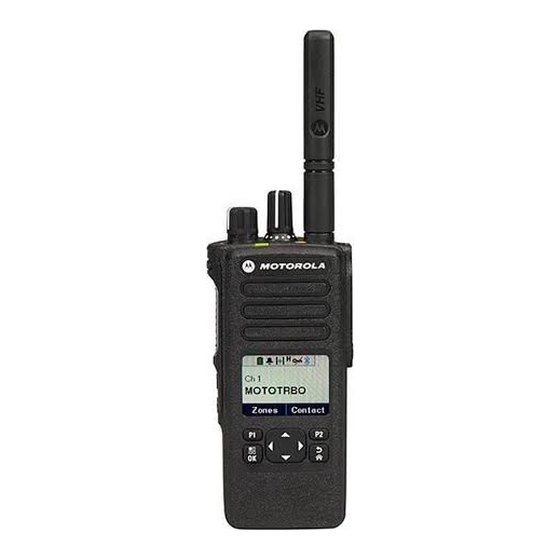
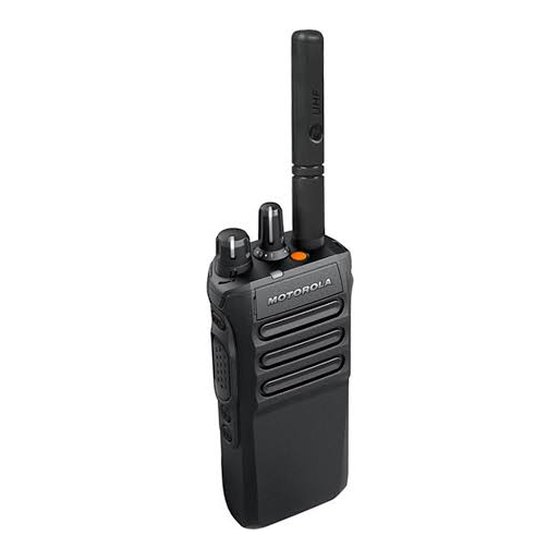
Fast touch-screen tills, a back office you can open from anywhere, handheld PDAs and card readers that just work — set up and supported by Neil’s Networks.
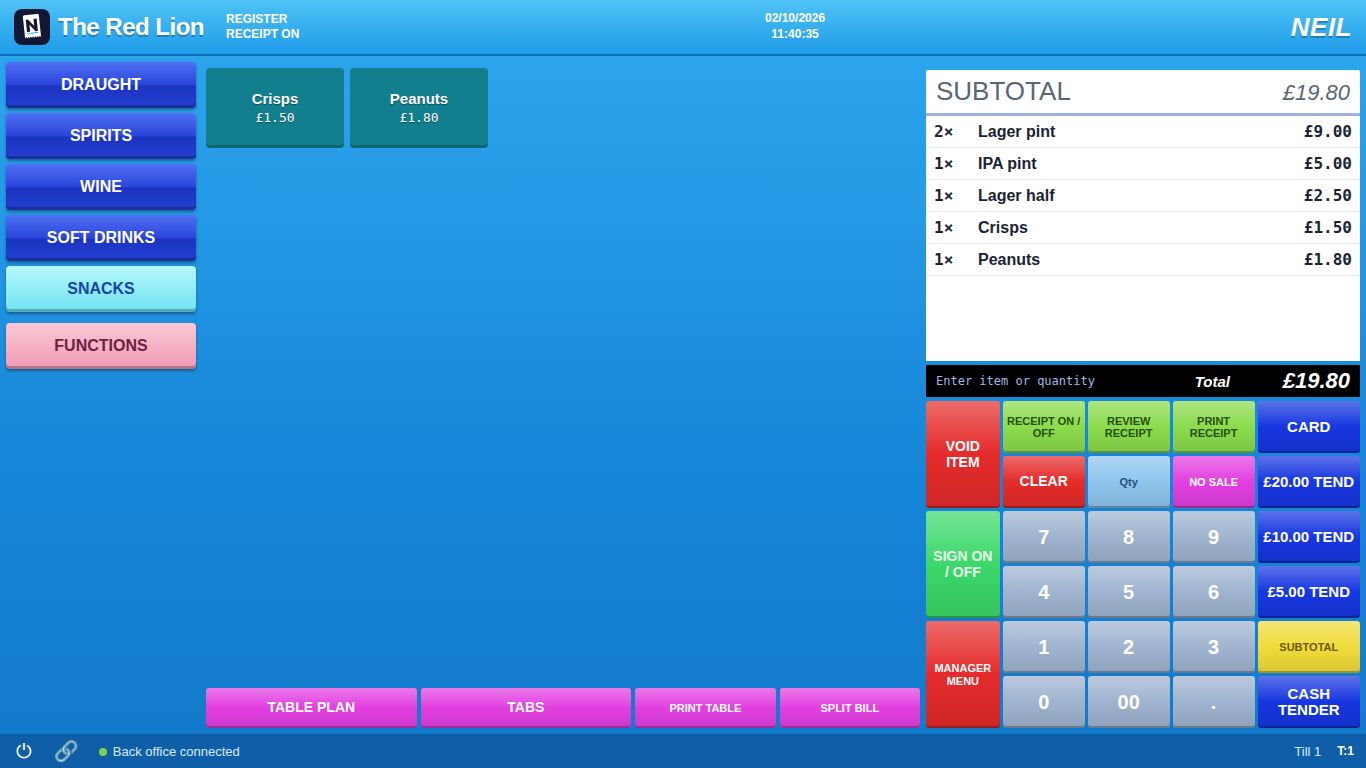
From the first pint to the Z report — tills, back office, PDAs and card payments that all talk to each other.
Big picture buttons or a classic keypad — six looks to choose from. Staff learn it in minutes.
Prices, staff, offers and sales from any computer, tablet or phone. Sign in with your email.
If the internet drops, the shop PC takes over. Sales, tabs and kitchen tickets carry on and catch up later.
Stripe, SumUp, Dojo and Teya. The till sends the amount — no keying it in twice, no mistakes.
Open tabs, a table plan, split bills, and orders straight to bar and kitchen printers.
Take orders at the table, check stock, book in deliveries and print shelf labels — on Wi-Fi or mobile data. Works great on Zebra handhelds.
Lend customers a handheld to scan as they shop. One scan at the till and their whole basket is ready to pay.
The 14 allergens and ingredients on every product — on the till, the PDA, kitchen tickets and labels.
Deposits on drinks, container returns at the till and the reports — switches on by itself in October 2027.
Your shop’s data is copied safely to us every night. New PC? It’s back exactly as it was in minutes.
Print a reduced label for short-dated stock. Scan it at any till and it sells at the new price.
Multi-buys, meal deals and happy hours. Live takings, best sellers and Z reports at a glance.
Every update is free and installs itself. Here’s what’s new.
Customers scan the QR code on their till slip, upload PDFs and photos on their phone and tick the pages — they print on your A4 printer. Charged per page, and a code never prints more pages than were paid for.
Six shelf-label designs for the receipt printer — Standard, Big price, Special offer, Compact, Shelf ticket and Allergens & deposit — with a preview before you print.
Import a CSV from your old till: barcodes, prices, cost prices, VAT, departments and stock come across — 12,000+ products in a minute.
Your own booking page — customers pick a day, time and party size, get an email confirmation and can cancel themselves. Bookings drop onto the till’s table plan, and the smallest free table is picked for them.
More than one shop? See every shop’s takings side by side, send products and prices from one shop to the rest, and move stock between them — booked in at the other end.
Regulars put it “on the slate” and pay at the end of the week or month — with a limit for each, printed statements and friendly reminders by text or email.
Build dishes from ingredients: selling a burger takes the bun, patty and cheese off stock and shows the real profit on every dish. Wastage is valued at cost.
Load your Booker, Bestway, Parfetts or Today’s price list — cost prices update in one go, and you see straight away which products’ margins have dropped.
Customers borrow a shop handheld, scan as they shop and see their total. One scan at the till and the basket’s ready to pay — with quality checks and a handheld locked down for customers.
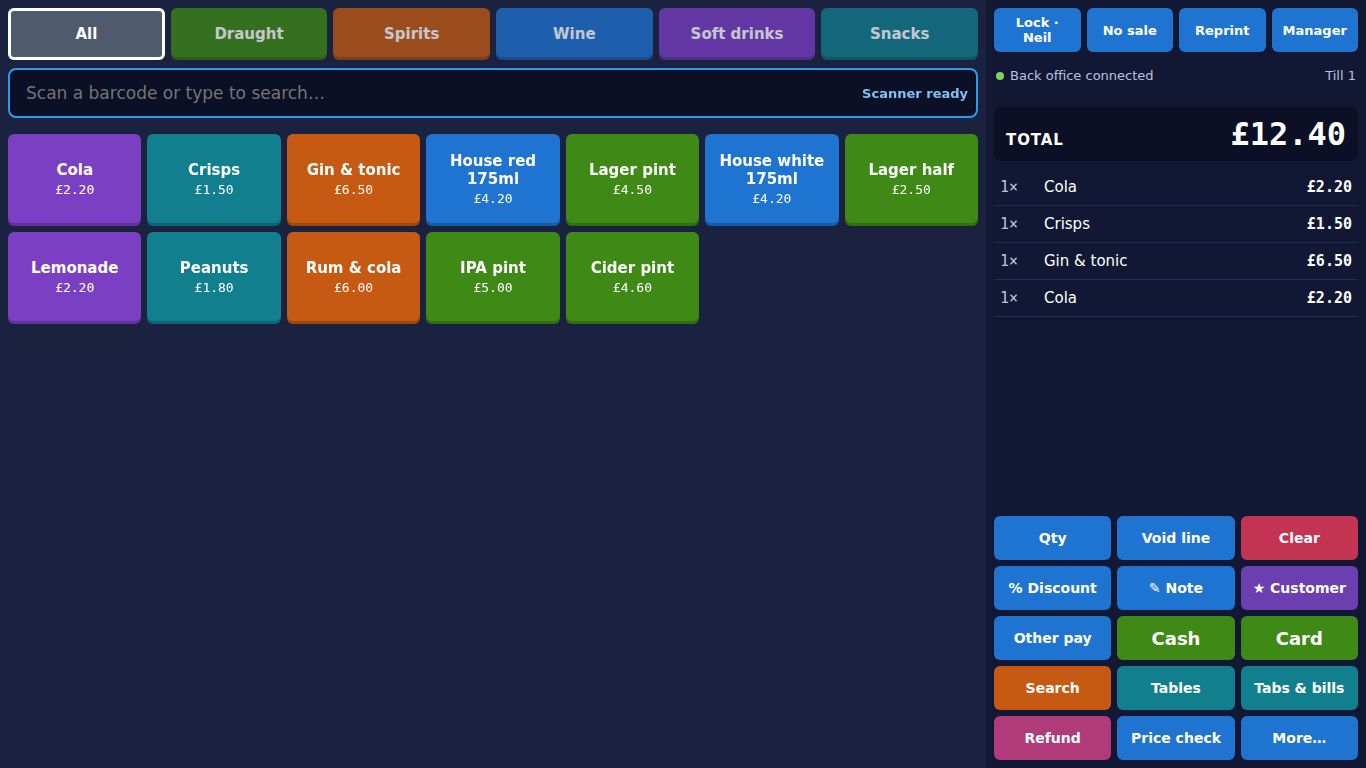
Big, bright colour-coded buttons (add product pictures if you like), offers taken off automatically, and one-tap cash and card.
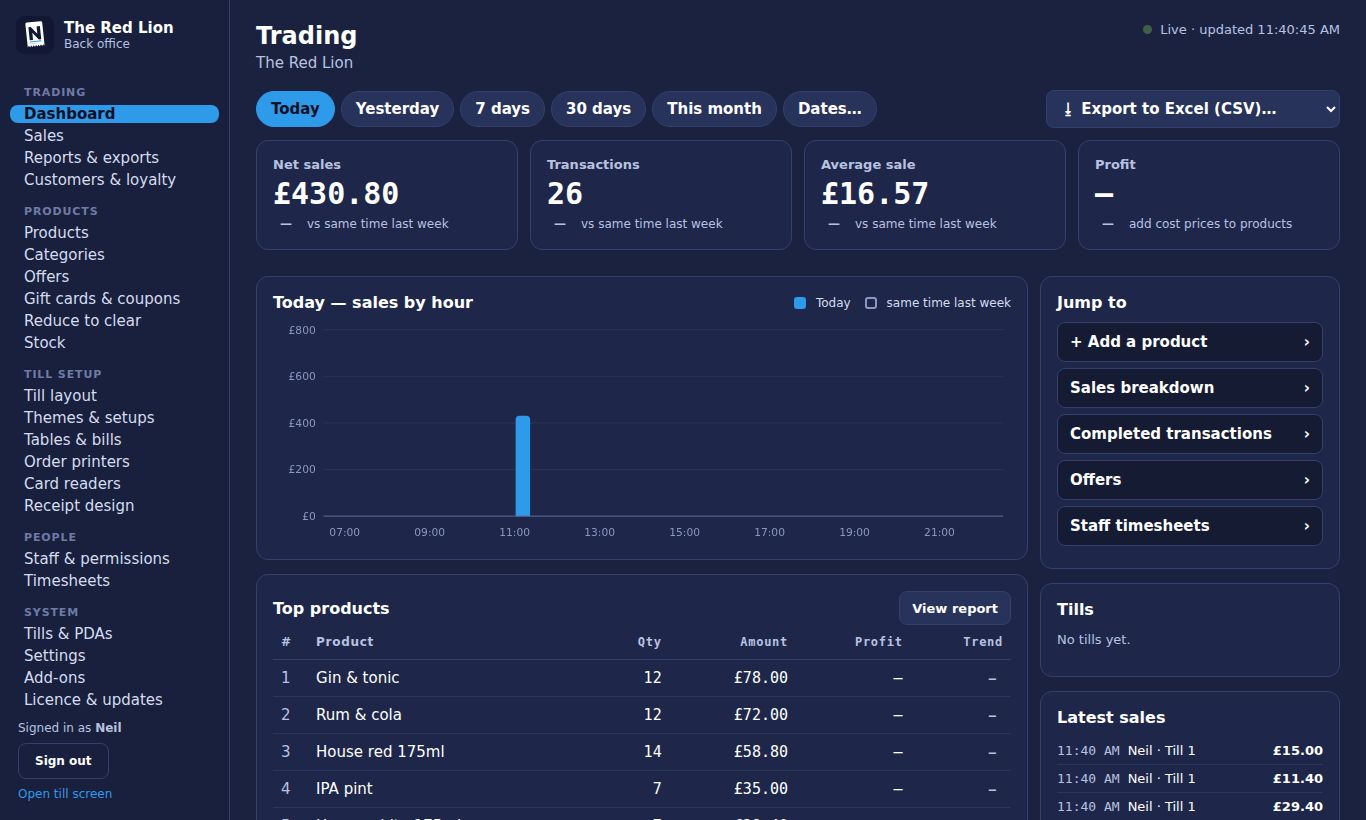
Live takings, products, staff and offers — from the shop PC or anywhere you can sign in.
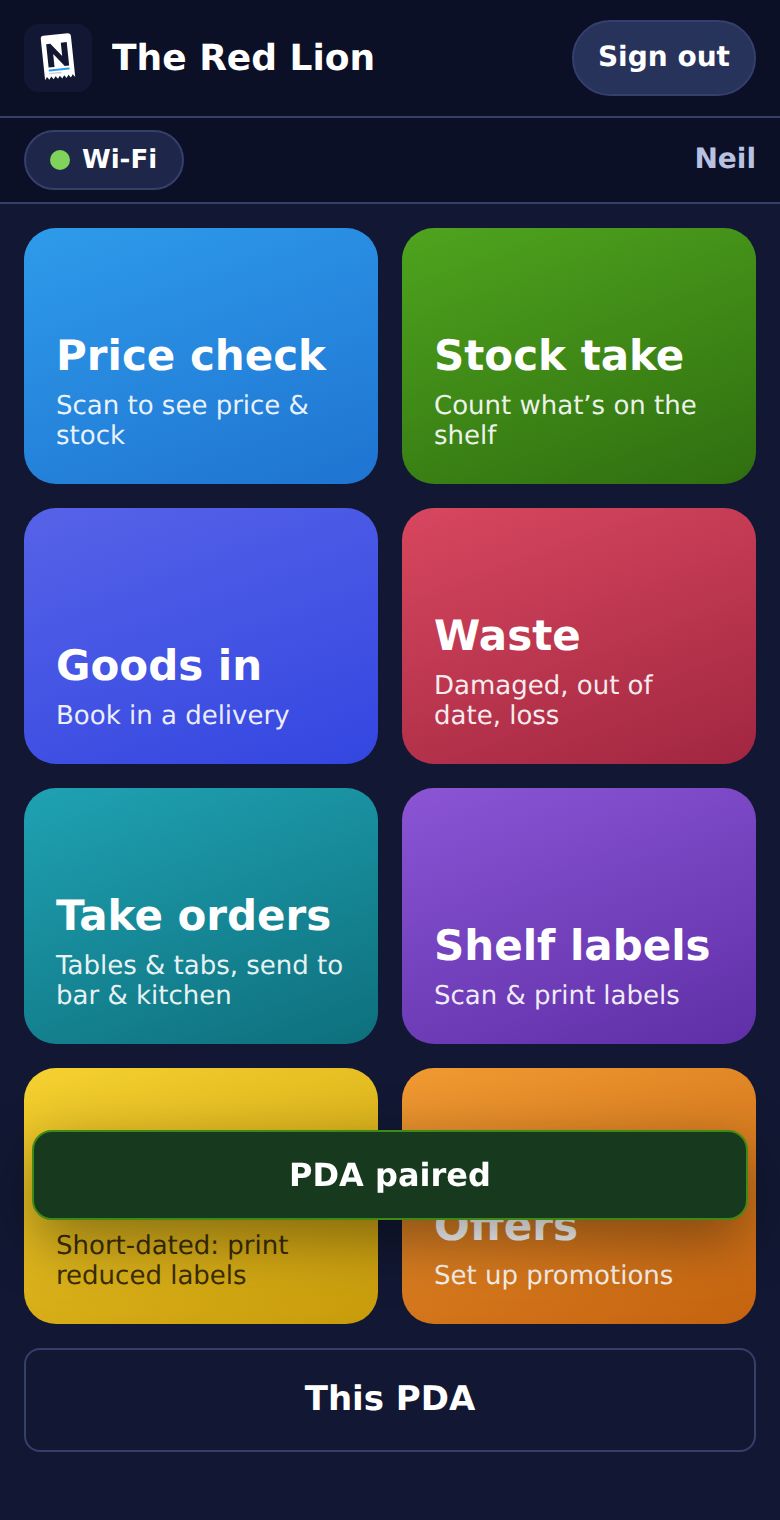
Orders at the table, stock counts, deliveries and shelf labels — in your pocket.
We don’t hand you a standard screen and leave you to it. We sit down with you and build your till together — your drinks where your staff expect them, your offers, your colours.
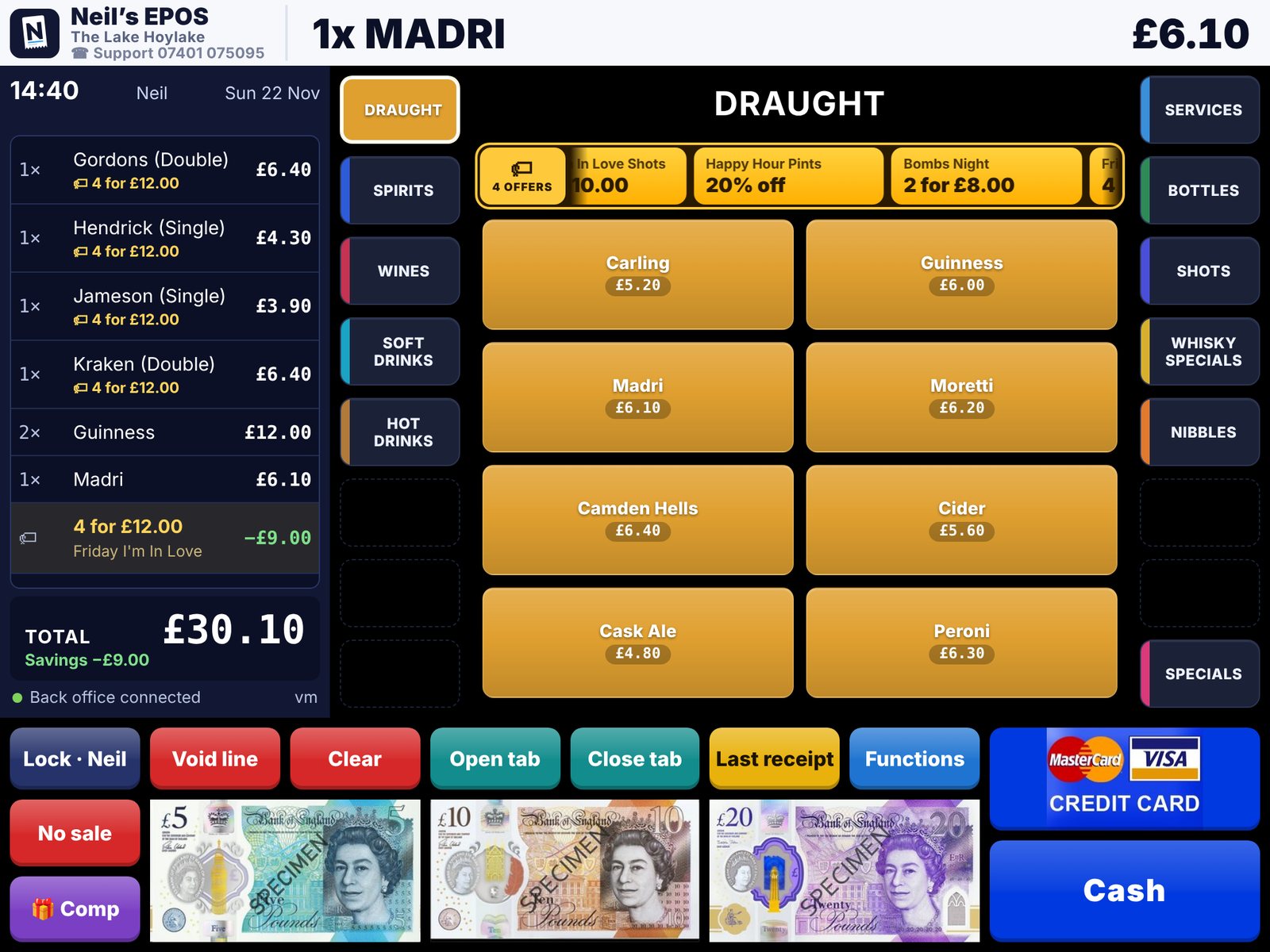
The till we designed with The Lake, Hoylake. Four spirits and three pints — the “4 for £12” offer comes off by itself and the saving shows under the total.
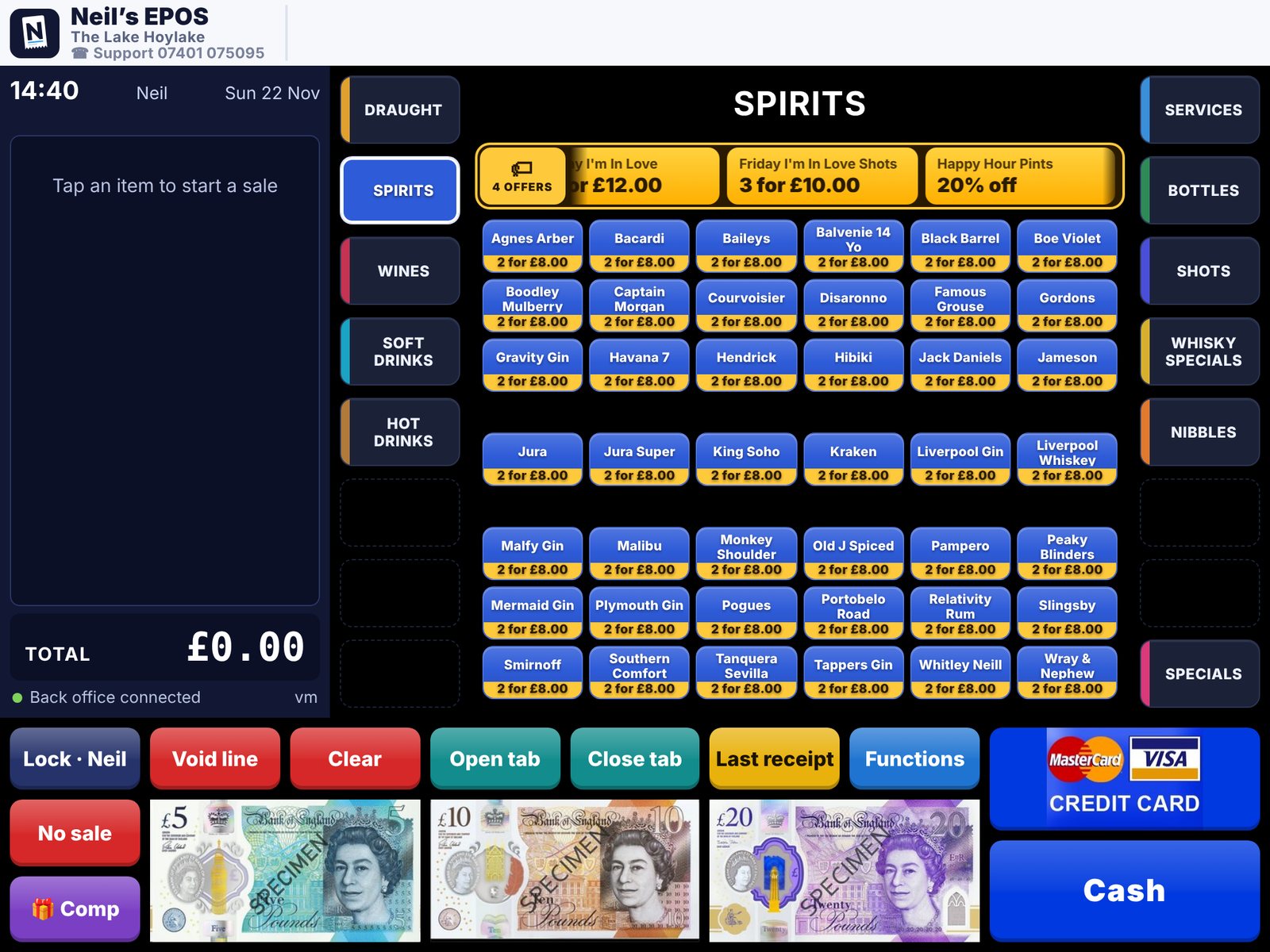
Every spirit on one screen, in the order the bar wanted, with tonight’s offers across the top and the price deal on each button.
Boxes, m², rolls and trims with the right wastage — plus the adhesive and grout to go with it, batches and shades, trade prices and quotes.
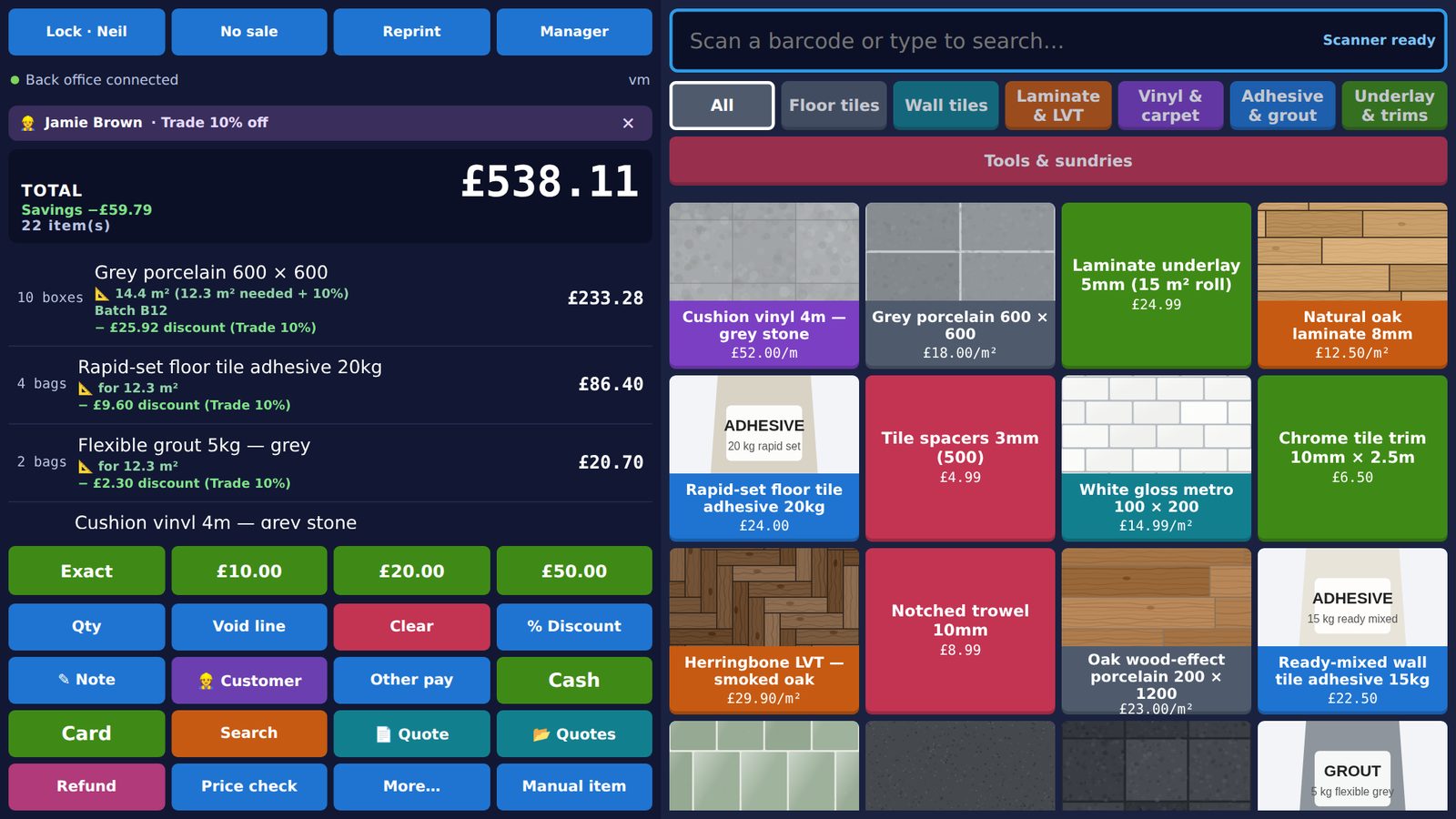
Picture buttons for every tile and floor, prices per m², boxes and batches on the receipt — and the fitter’s trade discount taken off automatically.
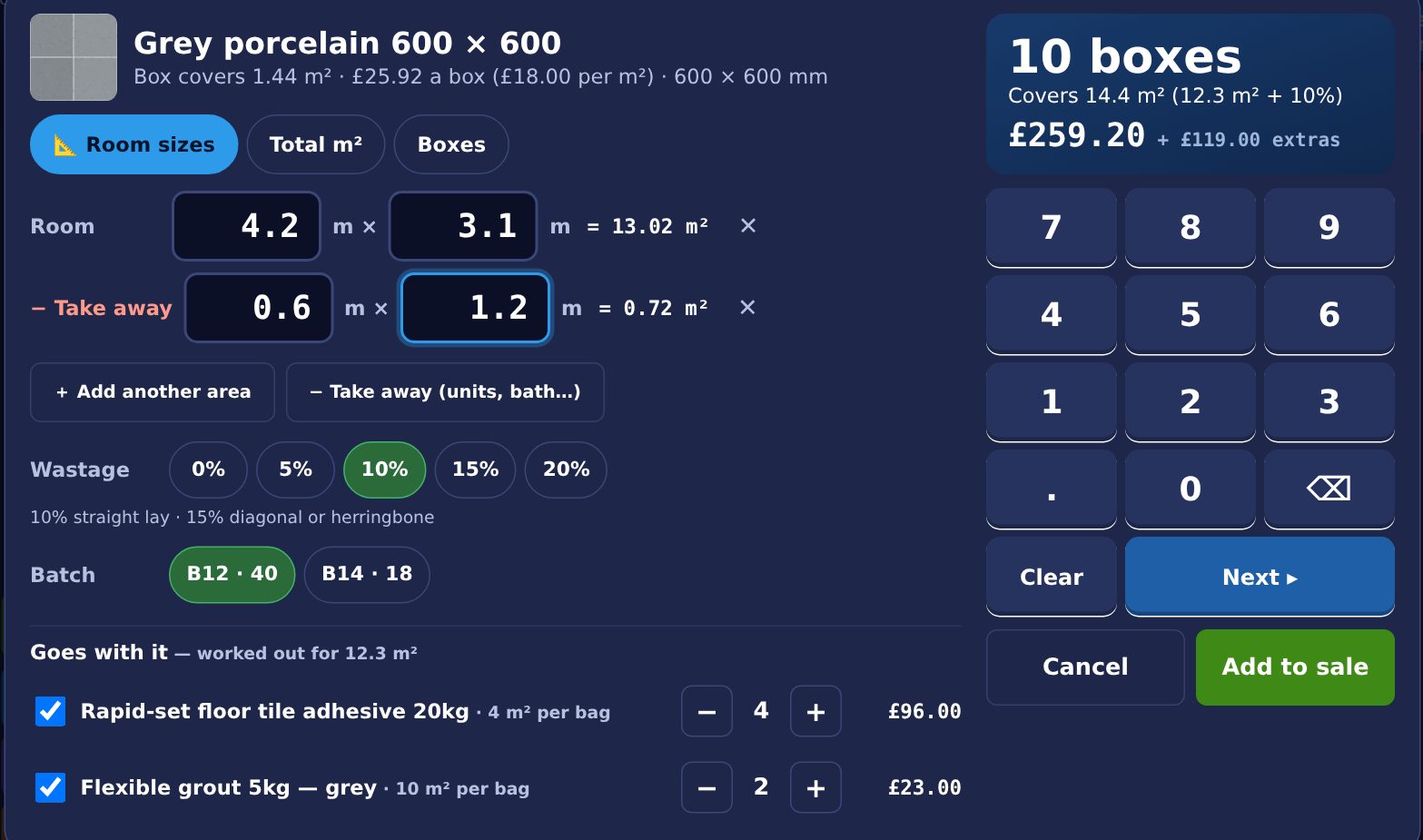
4.2 m × 3.1 m, less the kitchen units, plus 10% → 10 boxes. Choose the batch, and the right number of adhesive and grout bags is added too.
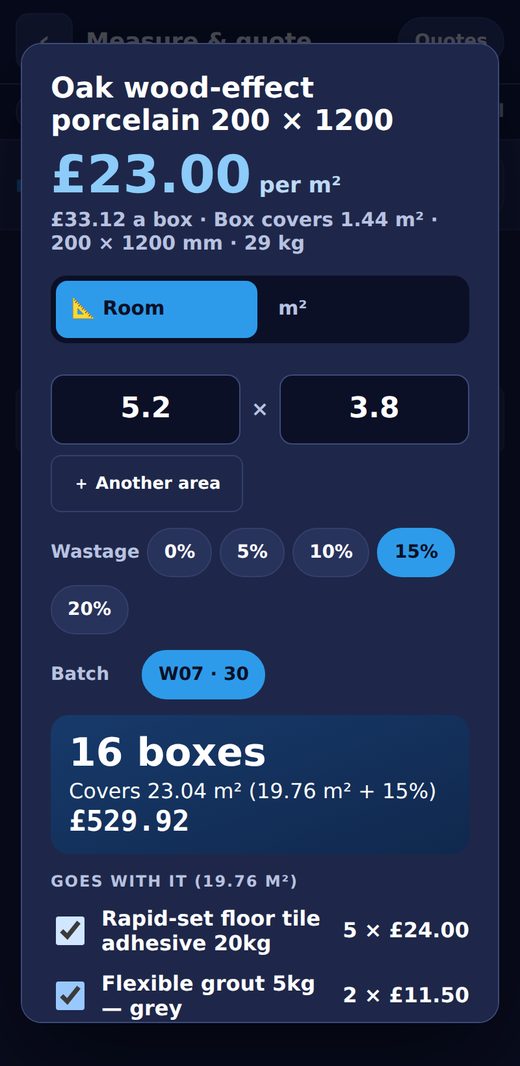
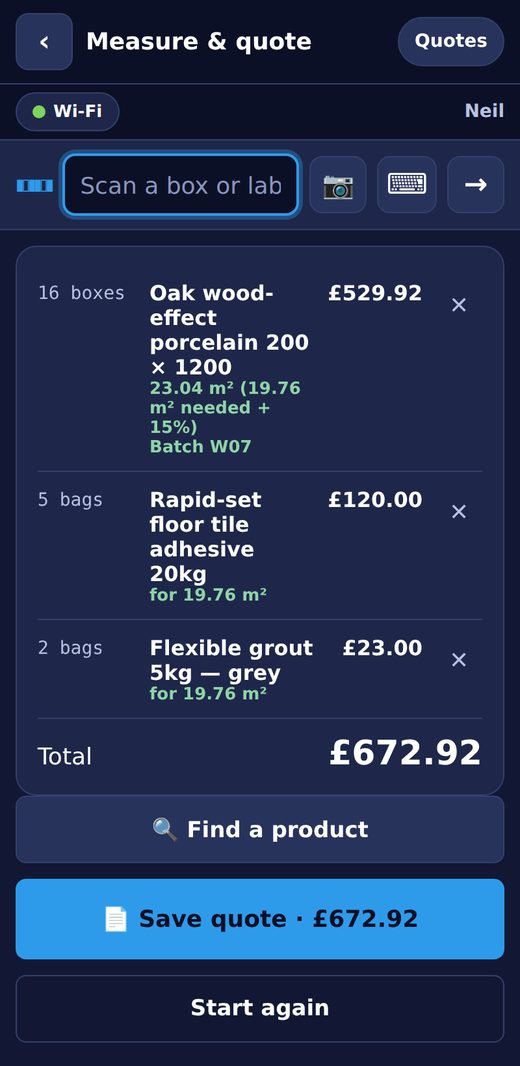
Measure up with the customer on the shop floor, save it as a quote — they pay for it at any till.
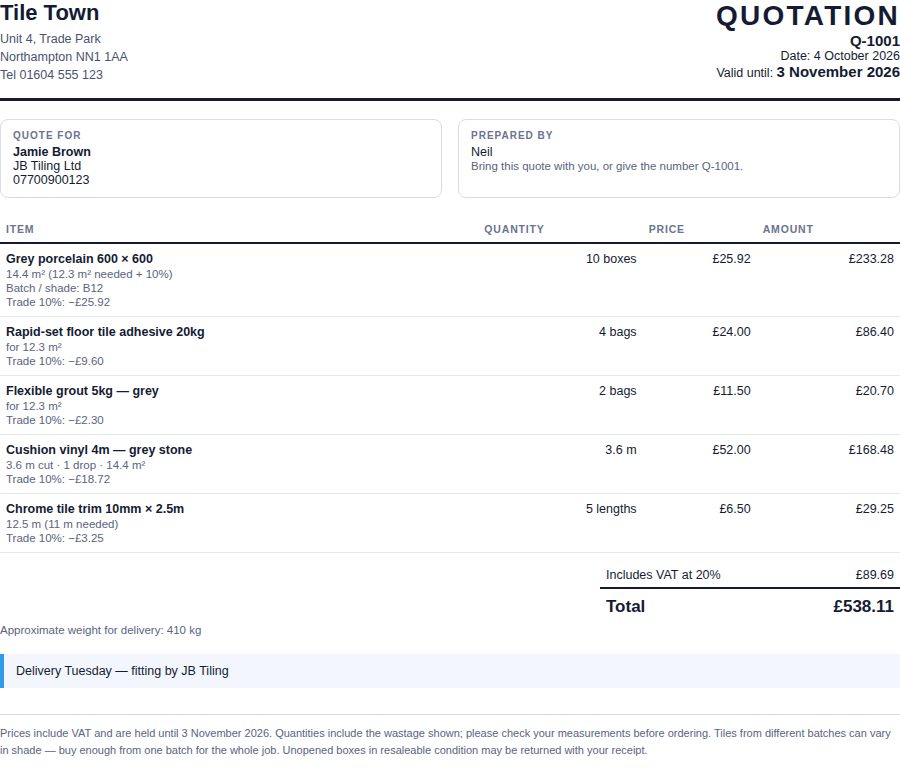
Professional A4 quotes (or on the receipt printer), held for 30 days and opened on any till to take payment.
Prices per month, no contract. Add extras now or later from your back office. Pay yearly and save 25%.
One till, everything you need to start
For busy pubs, cafés and shops
More tills, more sites
Just the tills, cloud and add-ons you need — nothing you don’t.
Searches Online Database and pulls name of the products that are not in your EPOS system.
Pay securely by card. No contract.
It’s emailed to you straight away, with the download link.
Run the installer on your PC and tills, enter the key — done.
No. Plans are paid monthly and you can cancel any time from the “Manage subscription” page.
Your tills keep selling. The back office PC in the shop takes over until the internet is back, then everything catches up by itself.
Stripe Terminal, SumUp, Dojo and Teya readers connect straight to the till. Any other card machine still works — staff just key the amount in.
Neil’s EPOS runs on Windows 10 or 11 (64-bit) touch-screen tills and PCs, with standard receipt printers, cash drawers, label printers and Android PDAs. Ask us if you’d like hardware supplied and set up.
Yes. We can supply everything you need: touch-screen tills, receipt printers, cash drawers, card readers, PDAs and the network to connect it all. We deliver it, set it up with your products and test it before you open, so it’s ready to go on day one. Tell us about your business and we’ll put together a quote.
No — Windows 7 (and 8) is no longer supported and Neil’s EPOS will not run on it. Microsoft stopped security updates for Windows 7 in 2020, which isn’t safe for a till taking card payments. We recommend Windows 10 or Windows 11 (64-bit). We can upgrade your existing tills for you — just get in touch. Not sure what your PC runs? Download the free PC check from the bottom of this page.
You lend the customer one of your handhelds (a Zebra MC33, for example) running Neil’s Self-Scan. They scan as they shop and see their total. When they’ve finished it shows a barcode — the cashier scans it and the whole basket is on the till, ready to pay. Now and again a basket is picked for a quick quality check, and the handheld tells the customer. The handheld is locked so customers can only use self-scan.
Yes. The Deposit Return Scheme starts in England and Northern Ireland on 1 October 2027. You can put the deposit on your drinks now (one category at a time if you like) and the tills start charging it automatically on the day. Deposits are kept out of your sales and VAT, empties can be scanned back at the till, and the back office shows what you’ve taken and paid back.
Yes. Each product can have its allergens (from the 14 the law lists), “may contain” warnings and the full ingredients. They show on the till’s allergen checker, the PDA, kitchen tickets and screens, and shelf labels.
Yes — every shop is backed up to us automatically every night, encrypted with your licence key. If a PC dies, the new one is set up from the backup in a few minutes with everything as it was.
Yes, with the Document printing add-on. Sell the pages on the till (price per page); the receipt printer prints a slip with a QR code. On their phone the customer uploads PDFs or photos, ticks the pages and they print on your A4 printer — never more pages than they paid for.
Yes. Export your product list as a CSV (name, price, barcode, department — and cost, VAT and stock if it has them) and import it in Back office › Products. Departments become categories and 18+ departments such as tobacco and vapes ask for ID.
Yes, with the Table bookings add-on. You get your own booking page (and a button and QR code for your website, Facebook and table cards). Customers choose the day, time and how many — only times with a free table are shown — and get an email to see or cancel it. The bookings show on the till’s table plan.
Yes. With Multi-shop (in the Business plan) every shop’s takings are side by side in the back office, and you can send products and prices from one shop to the others, or move stock between them.
Straight away. Your licence key arrives by email as soon as you’ve paid — download, enter the key and you’re selling.
Yes — Neil’s Networks can install the tills, network, printers and card readers for you. Get in touch.
Get your licence key in minutes — or let us set it all up for you.